Table of Contents
Debit Card
Inmate Debit Card accounts utilize pre-purchased debit cards to pay for outbound phone calls to any called party number approved by the agency for that inmate. Debit cards are purchased directly from the agency commissary through separate commissary purchasing accounts established for each inmate. Each debit card has a card PIN printed on the face of the card, which the inmate must enter before a call is placed. The call is then billed against the face value of the card until the balance is exhausted.
Inmate debit cards are usually sold in a cash value increment, such as $20. The inmate can purchase multiple cards and transfer balances between cards using the ENFORCER® IVR.
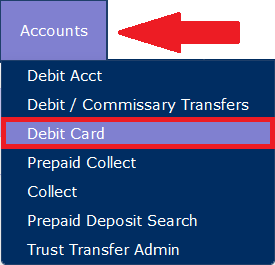
To access the inmate Debit Card function, select Debit Card under the Accounts tab.
You can search for an Inmate Debit Card Account in one of three ways:
- By the card ID number on the phone card.
- By the card PIN entered by the inmate to use the card.
- By inmate ID.
Locating a Debit Card account
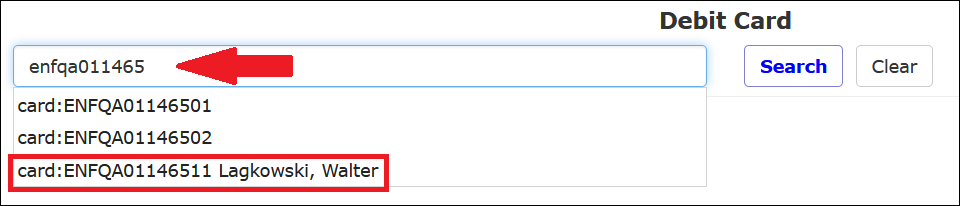
To locate the desired Debit Card Account, start typing the first few characters of the card ID number or PIN. A dropdown list displays all cards with a card number or PIN beginning with the characters you entered. Click the acct or pin from the displayed list to select the desired debit card.
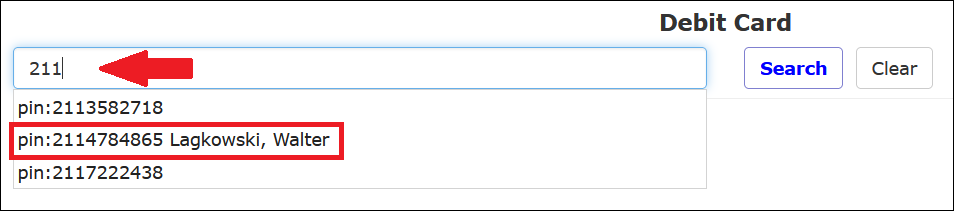
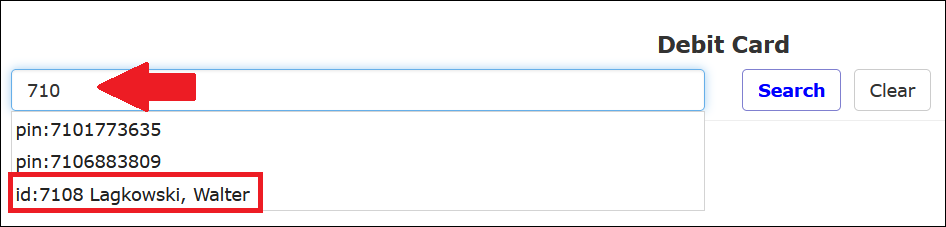
You can also locate a debit card by searching by the inmate’s last name or the Inmate ID of the cardholder. To locate the desired inmate, start typing the first few characters of the inmate’s last name or Inmate ID number. A dropdown list displays all inmates whose last name or Inmate ID begins with the characters you entered. To select the desired account, click on the inmate from the displayed list.
After you access an existing inmate Debit Card account, The ENFORCER® displays the Debit Card account page as shown in the following example.
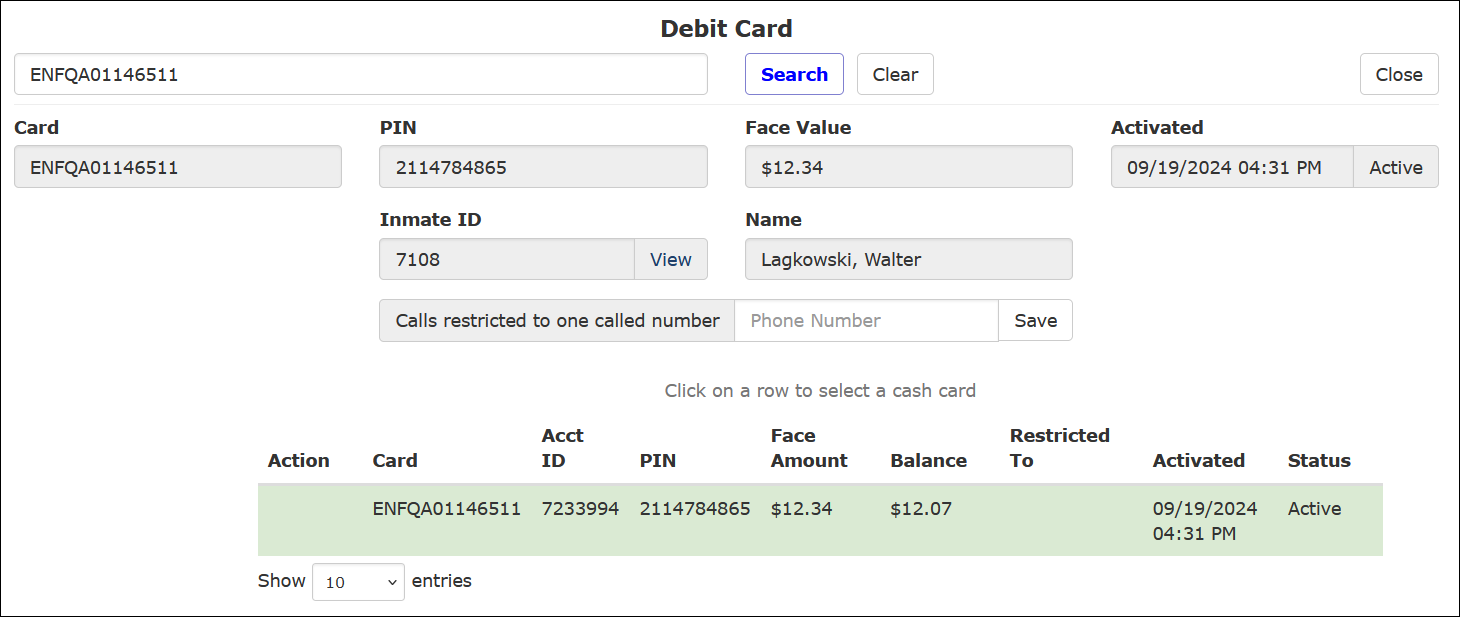
Selecting a Debit Card
After you open a Debit Card account page for an inmate, the displayed information and Transaction History pertains to the specific card highlighted in green.
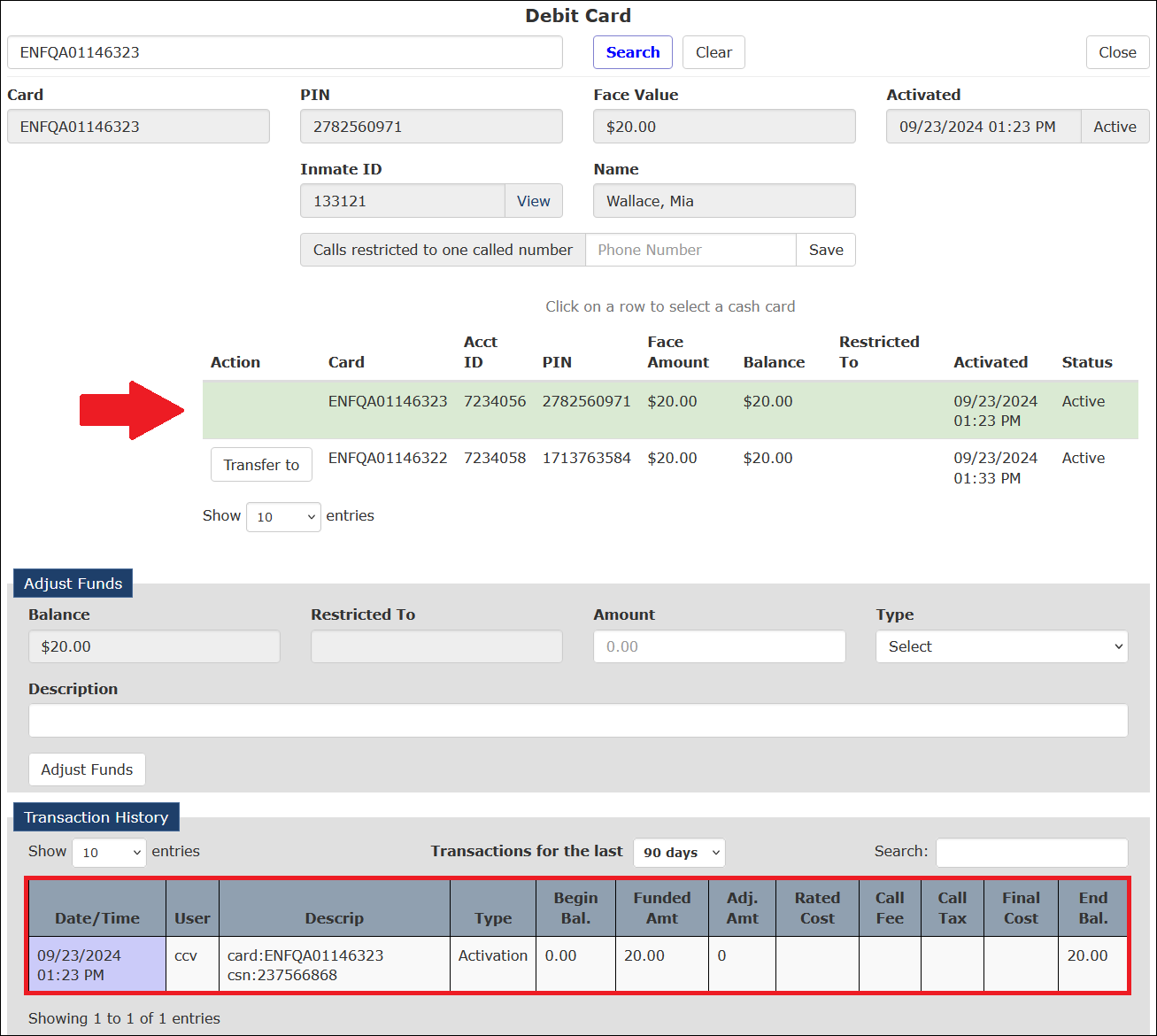
To select a different card, click on the row for that card. The chosen card is now highlighted in green, as shown in the following example. The displayed information and Transaction History now pertain to the newly selected card.
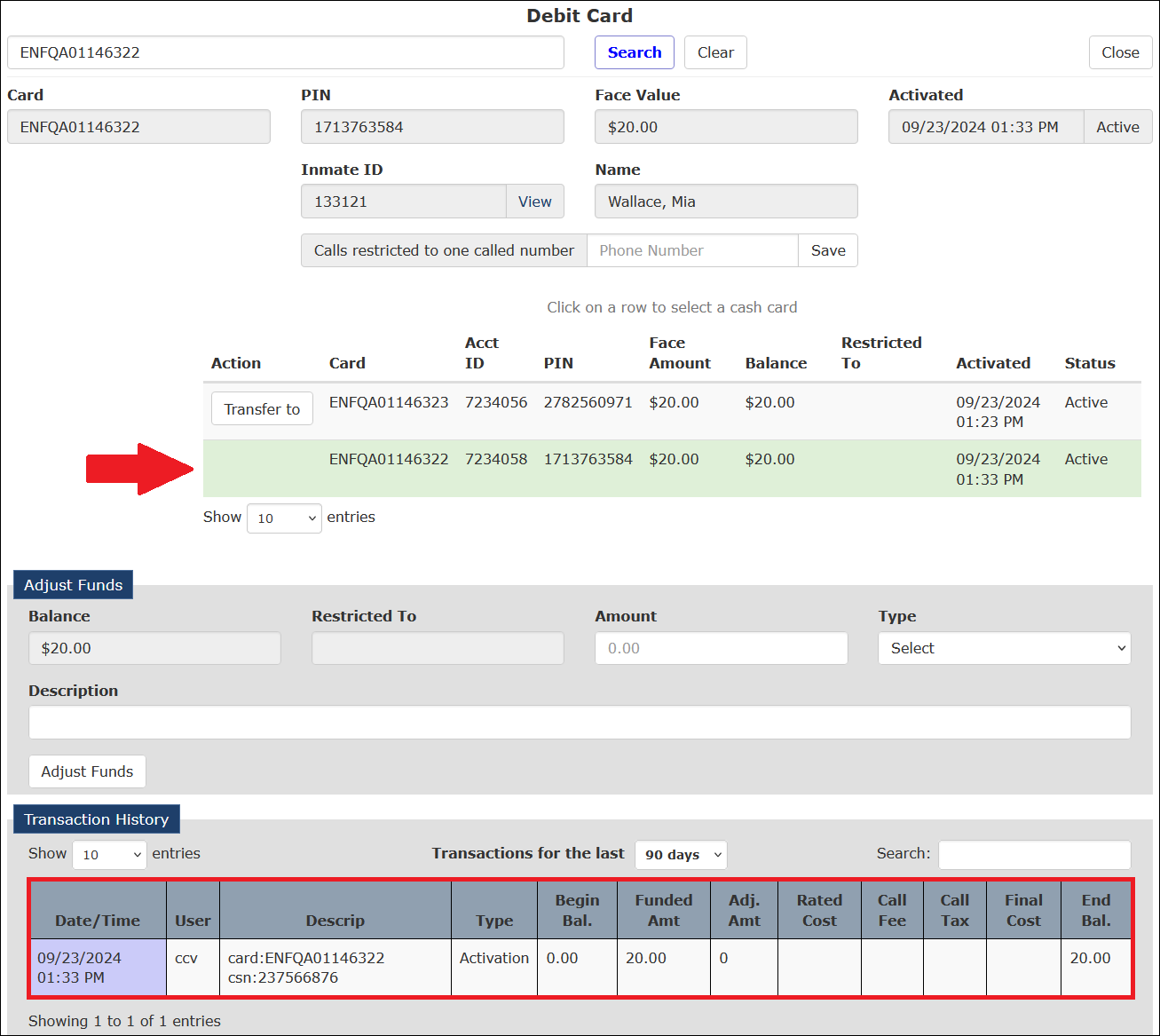
Adjusting a Debit Card Balance
Several manual adjustments can be made to this account type, including transferring a balance from one card to another. These manual adjustments are described in the following table.
| Type | Definition | Usage |
|---|---|---|
| Balance Transferred To | Transfer funds from the selected card. | Subtract funds |
| Card Activation | Activate a new Debit Card for an inmate. | An alternate method to activate a Debit Card. This method can be used instead of the inmate activating the card through the IVR. |
| Card Telco Credit | Adjustments made to credit any call/audio issues. | Add funds |
| Refund/Deactivate/Credit | Subtract funds for cashout payment to an inmate who is being released from the facility. This also deactivates the card. | Subtract funds |
| Transfer Received From | Transfer funds from the selected card. | Add funds |
How to locate an inmate Debit Card and make a manual account adjustment
- To locate the desired inmate Debit Card, begin entering the inmate’s last name, the Inmate ID number, the debit card number, or the debit card PIN. A dropdown list displays all debit cards that match what you entered.
- Select a displayed row from the dropdown list. The Debit Card account page is then displayed.
- If information for more than one card is displayed in the middle of the Debit Card account page, the desired card may be highlighted in green if you searched by card number or card PIN. If not, you must click on the row for the desired card in the list. After you click the row for the desired card, that row is highlighted in green, and the Debit Card account page refreshes to display information specific to the selected card.
- In the Adjust Funds pane, enter the dollar amount of the adjustment in the Amount field. If the adjustment is intended to take funds out of the account, include a minus sign (–) in front of the entered dollar amount.
Select an account adjustment type from the Type dropdown list. Then, use the table above to select the appropriate adjustment type.
- Provide additional detail on the adjustment in the Description field.
- Click Adjust Funds.
- If you need more information about the inmate, click View next to the Inmate ID field. This opens the Inmate Detail page.
- Click Back to return to the Debit Card Account page.

How to transfer funds from one Inmate Debit Card to another card
- To locate the desired inmate Debit Card page, begin entering the inmate’s last name, Inmate ID number, debit card number, or debit card PIN. A dropdown list will display all debit cards that match the characters you entered.
- Select an account from the dropdown list. The Debit Card page for that debit card will be displayed.
- In the middle of the Debit Card page, click on the row for the card that you want to transfer a balance from. After you click it, that row is highlighted in green, and the Debit Card page refreshes to display information specific to the selected card.
- In the Amount field in the Adjust Funds pane, enter the amount you want to transfer, or subtract, from the debit card. Be sure to include a minus sign (–) in front of the entered amount.
- Select Transfer Received From in the Type dropdown list.
- In the Description field, provide additional detail on the adjustment.
- Click Adjust Funds.
- In the middle of the Debit Card page, click on the row for the card you want to transfer a balance to. After you click it, that row is highlighted in green, and the Debit Card page refreshes to display information specific to the selected card.
- In the Amount field in the Adjust Funds pane, enter the amount that you want to transfer, or add, to the selected debit card.
- Select Balance Transferred To from the Type dropdown list.
- In the Description field, provide additional detail on the adjustment.
- Click Adjust Funds.
Restricting card funds to a specific number
You can restrict the entire balance of an existing Debit Card to be used to call a specified number only. Typical usage of this account type would be when a facility gives a Debit Card to an indigent inmate to place calls to an attorney’s office.
How to restrict Debit Card funds to a selected called party number
- Access the Debit Card account for the inmate for which you want to create a restricted account.
- Select the row for the debit card that you want to restrict.
- In the Calls restricted to one called number field, enter the 10-digit phone number to which you want to restrict inmate calls paid for with the debit card.
- Click Save. The selected inmate Debit Card can be used to pay for calls to the specified number only.
Viewing Call Records
After you have clicked on a row to select a specific Debit Card, you can view the call records for calls made against the card like for an inmate Debit Account. For information about viewing Call Records from a Debit Account, click here.