Global Numbers
The Global Numbers function group provides a method for storing called party phone numbers and defining one or more global settings that affect calling features when an inmate calls the number. Additionally, the Global Numbers function group enables the setup and customization of phone numbers that support other optional calling features, such as Attorney Registration and Global Number Alerts.
You can access all screens discussed in this chapter using the menu items displayed when you click the Global Numbers tab in The ENFORCER®.

Overview
In The ENFORCER®, a master library of specific called party phone numbers is available for various purposes, as described throughout this chapter. These numbers are referred to as Global Numbers, and the library itself is called the Global Numbers Library. The Global Numbers module provides tools for creating, accessing, and customizing these phone numbers.
Each number in the Global Numbers Library contains a unique, user-accessible record called a Number Detail Record, as shown in the following example. This is also called the Global Numbers Edit page for the Number Detail Record.
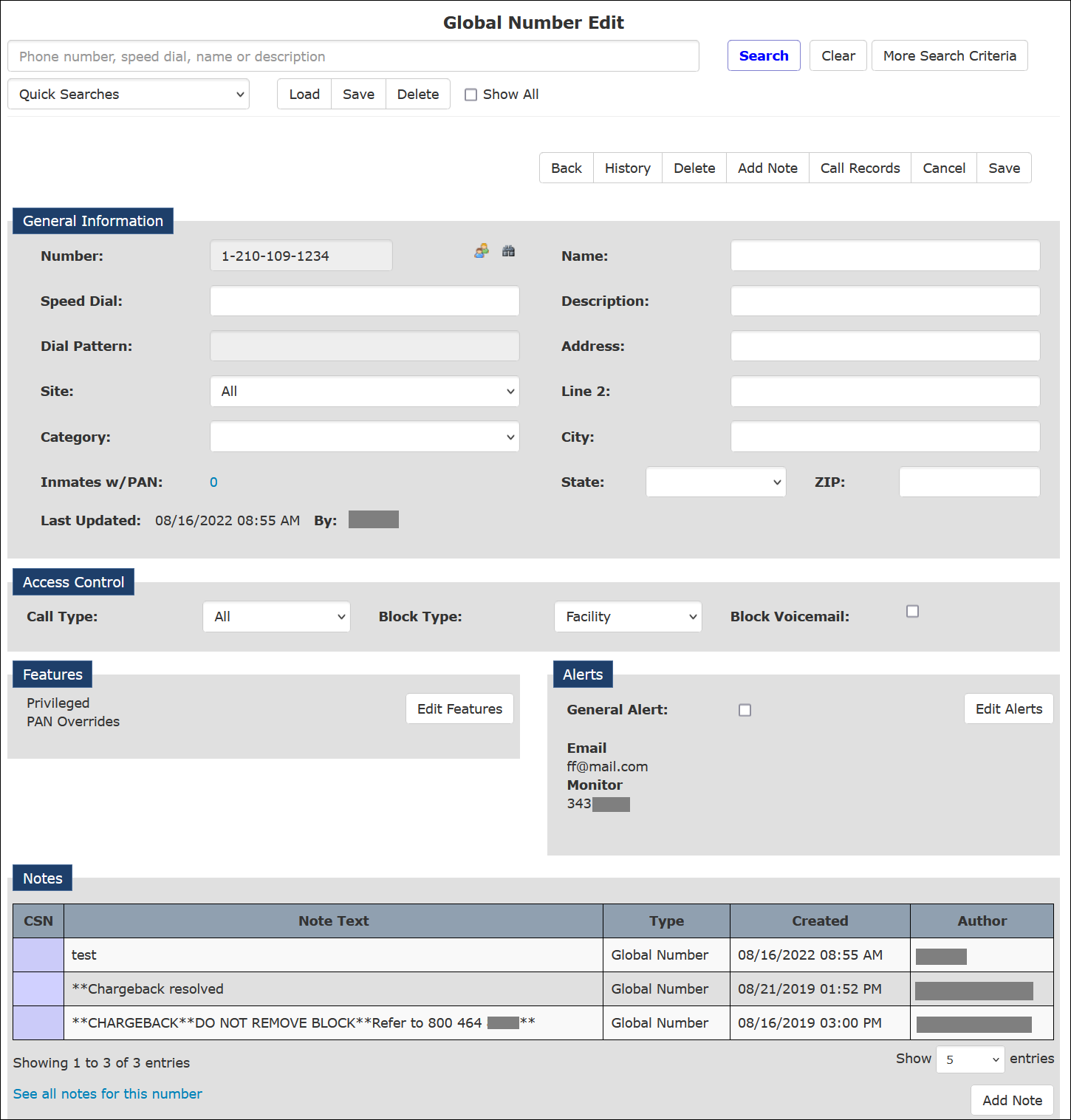
In the following examples, The ENFORCER® user has created a record for the indicated phone number but has not completed any of the various fields and lists that can be used to customize a number.
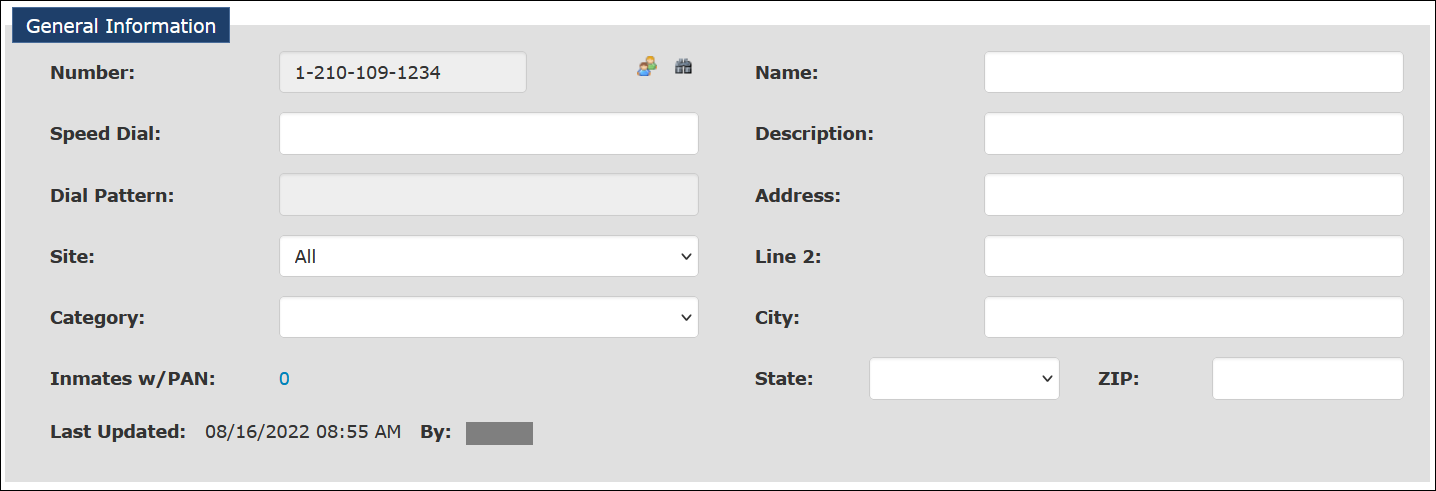
The items in the example below are used to set up general attributes for the number.
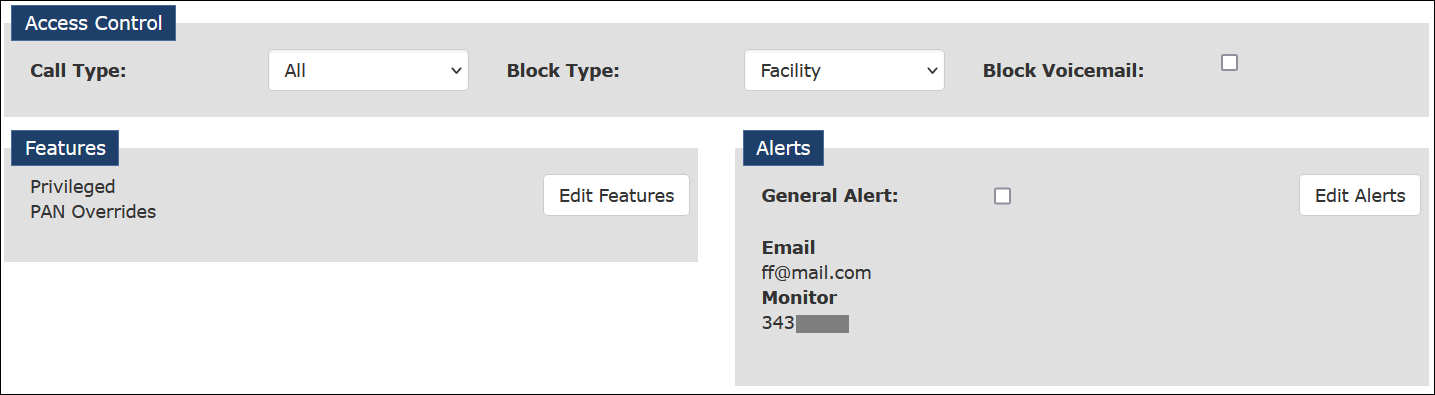
The items in the example below are used to customize the number according to the labels for each pane.
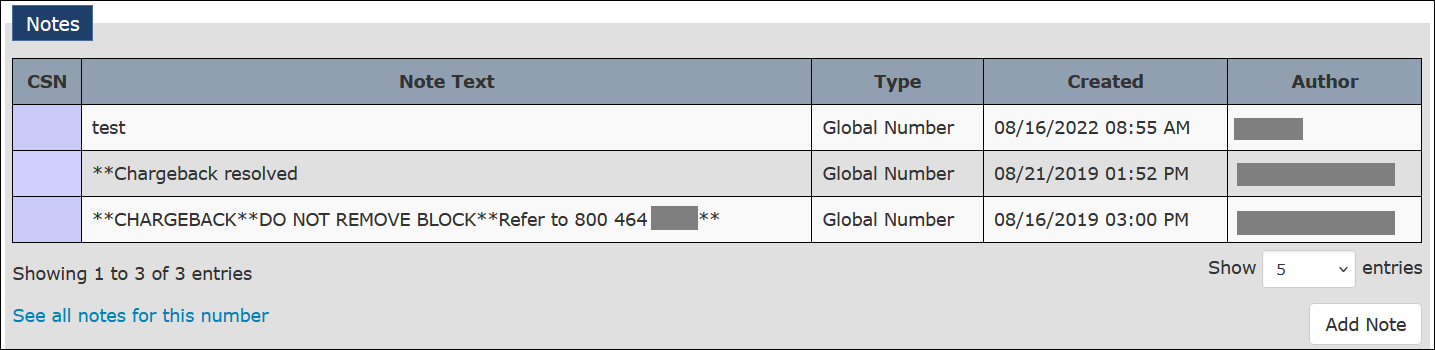
The fields in the example below display all notes that have been added for the number and can be used to add one or more notes to the Number Detail Record. Click here for more information on Global Numbers Notes.
How to Access and Use the Global Numbers Page
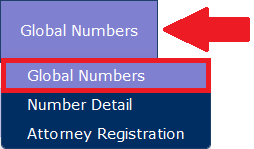
The Global Numbers function is accessible by clicking the Global Numbers menu item under the Global Numbers tab.
After you click the Global Numbers menu item, the Global Number Search page displays five main areas, as shown in the following example.
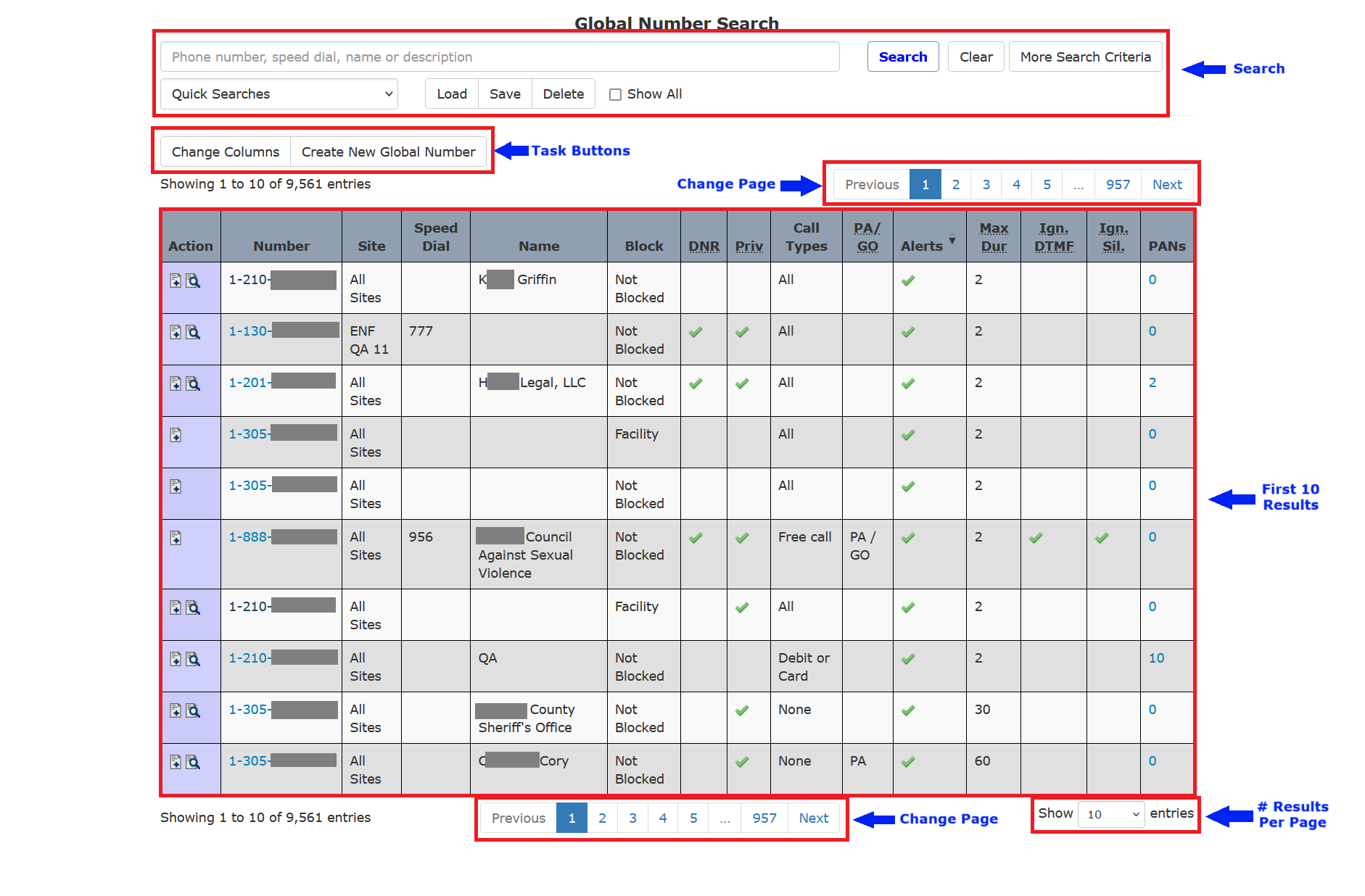
Using the search dialog, you can:
- Search for a specific Number Detail Record by phone number, called party name, speed dial number, or description.
- Display all phone numbers with a Number Detail Record, a partial list of these phone numbers, or all Wildcard Numberswith a Number Detail Record.
Using the task buttons, you can:
- Create and customize a new Number Detail Record for a phone number.
- Change or add to the default columns displayed on the Global Numbers search results. For example, Number, Site, Block, and Call Types.
From the list of Number Detail Records, you can click on any line item to view the Number Detail Record for that phone number. The first ten are displayed by default and sorted by phone number.
Using the scroll/display areas, you can scroll through a long list of numbers or change the number of records displayed per page. These tools enable you to locate a specific Number Detail Record. However, if your site has many such records, entering the 10-digit phone in the main search field may be easier, and clicking Search to locate the desired Number Detail Record.
How Number Detail Records Are Created
Currently, four different conditions can cause a Number Detail Record for a called party phone number to be added to the Global Numbers Library:
- A record for the phone number was set up in the facility’s Jail Management System (JMS) or prior Inmate Telephone System and was downloaded to The ENFORCER® via a data feed. Why a Number Detail Record is created: If the phone number is important enough for unique information to be stored in the JMS, then The ENFORCER® creates a corresponding Number Detail Record for future use.
- An inmate called a number, or called party, that did not exist yet in the Global Numbers Library, and the called party pressed 9 to request that all calls from the facility be blocked. Why a Number Detail Record is created: In the future, an ENFORCER® user may want to remove or revise the block on the phone number so that other inmates may call it.
- An ENFORCER® site administrator created a record using The Informer℠ module, which calls an outside phone number when requested by an inmate. Why a Number Detail Record is created: The site administrator wants to define certain restrictions or attributes for the number to ensure that the inmate is not charged for a call and that the inmate’s identity is protected.
- An ENFORCER® user manually added the number and created a unique Number Detail Record. Why a Number Detail Record is created: The user wants to customize the behavior of the phone number for one or any combination of applications, as described in the following section. This is the key manual use of the Global Numbers module and is discussed in detail in the remainder of this chapter.
Uses for Global Numbers
If you are an ENFORCER® user with permission to edit Global Numbers, you can use a Number Detail Record for a phone number in several beneficial ways, including:
- Setting up a phone number to allow all inmates to call a number that is beneficial for their use, including communication with legal representation, obtaining bail bonding services, or reporting dangerous/criminal inmate behavior.
- Making all calls to a phone number free for all inmates at a facility or site.
- Making all calls to a phone number without the call being recorded.
- Blocking all inmates from calling a number or unblocking a previously blocked number.
- Setting up a phone number to mask inmate information from appearing in a call record, such as when an inmate calls a sexual abuse hotline, such as a PREA line, to report an incident. This setup protects the inmate’s identity, even from ENFORCER® users.
- Setting up a phone number to trigger an alert to one or more predefined recipients either by email or voice message.
- Setting up a phone number to trigger an alert whenever a payment is made on a calling party Prepaid Collect account.
- Setting up a phone number to activate an alert flag in The Observer℠ live call monitoring function and the call record.
- Turning safeguards on a phone number on or off that help to deter third-party calls or call forwarding.
- Turning prompts to accept calls or greeting prompts on or off for a phone number.
- Setting up a maximum time limit for all calls to a phone number.
- Exempting a called party number from billing (setting up the number as a free call).
- Using wildcard (???) characters as a substitute for dialed digits to apply custom settings, such as a call block, to all numbers within a selected area code or number prefix.
- Restricting a phone number to receive only calls of a certain billing type, such as debit calls only or collect calls only.
- Enabling an inmate to press additional digits within a defined timeframe at the beginning of a call to a phone number.
Helpful Calling Terminology Definitions
Since the Global Numbers function uses many terms, the following list is provided for reference.
Alert – A defined phone number that automatically receives a call or an email address that automatically receives a message when an inmate or account holder performs a particular action, such as placing a call or making an account payment.
Attorney call – A called party number defined as the office or contact number for an Attorney or Public Defender. Attorney call also refers to an actual call to the attorney number. In its Number Detail Record, an attorney number is always set to Privileged as defined below.
Blocked number – A called party number set up so inmates cannot call it. A number can be blocked or unblocked and applied to an entire facility or selected inmates only.
Call record – A unique historical record of every call made using The ENFORCER®.
CSN – Call sequence number is a unique identification number assigned to each call record.
Free call – A call made by an inmate to a called party number that is free (no cost) to either party. Or a call made by an inmate that is normally billable but is not billed based on a certain number of free calls allowed during a defined period.
Global Numbers Library – The entire library of all Number Detail Records for a correctional facility that uses The ENFORCER® calling platform.
Number Detail Record – A user-accessible record for a called party number contained in the Global Numbers Library. In most cases, a Number Detail Record is unique to the 10-digit telephone number.
PAN list – An abbreviation for Personal Allowed Numbers list, which is an inmate-specific list of allowed or blocked numbers. This list is independent of the Global Numbers Library and is accessed and edited from the Inmate Detail page.
Privileged call – A called party number that is defined so that all inmates can call it. Calls to a number of this type can always be made by inmates to the number unless the inmate is serving a Full Suspension. Also, inmates can always make calls to the number at facilities that use Inmate PAN lists.
Wildcard search – Using an asterisk (*) as a global substitution character when performing a phone number search using the Global Numbers function.
Wildcard number – A called party number with its own Number Detail Record that uses question marks (???) in the number as global substitution characters. Using a wildcard number lets you customize the behavior of a number for an entire area code or phone number prefix, such as blocking the number.