Interpreting Displayed Results
Action Column
Several icons may be displayed in the Action column on the Call Station List, as shown in the following example.
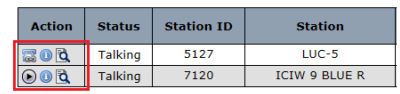
Table: The Observer℠ Action Column – Icon Descriptions
The following table describes the icons that may be displayed in the Action column.
| Icon | Description |
|---|---|
 | Click to play the call recording. The ENFORCER® launches the Web Player, where you can listen to the call in progress or the completed call. You can add notes and bookmarks to a call recording. |
 | Indicates a video visitation session that is taking place between an inmate and a visitor who is registered in The Visitor™ visitation management module. The Number column displays the email address of the registered visitor. This icon is displayed for information only. |
 | Click to display the Call Details pane for the selected call. |
 | Indicates that the call is currently being monitored or was monitored by another ENFORCER® user. |
 | Indicates that the call is not being recorded or was not recorded, such as an attorney call or call to any number defined as Do Not Record on the Number Detail Record in the Global Numbers library. Although the call is displayed on the list, you cannot listen to it, and is not displayed. |
 | The call is placed to a cell phone. Click to view the geographical Call Activity Map for the call. |
 | Indicates that The Imposter℠ voice detection and analysis module has detected a possible imposter on the call. |
Call Status
The following clarifies the chronological point-in-time that is indicated by the value that is displayed in the Status column in the Call/Station List pane.
Calls to Outside Parties
Offhook > Dialing > PAV Lookup > Ringing > Greeting > Talking > Done
Offhook > PAV Lookup > Denied > Done
Calls to ENFORCER® IVR
Offhook > Balance (debit account balance inquiry)
Offhook > Commissary (commissary orders)
Offhook > Numreg (request registration of Attorney Number or PAN)
Offhook > Visitation (onsite inmate conversation with a visitor)
Table: The Observer℠ Status Column – Status Descriptions
The following table describes values that may be displayed in the Status column. The displayed value may refer to the point-in-time status of an inmate call to an outside party or the type of call placed to The ENFORCER® IVR by an inmate or a called party holding a Prepaid Collect account.
| Status | Description |
|---|---|
| New Call | Inmate has taken the phone handset off the hook. |
| Language | Inmate is selecting a language. |
| PIN | Inmate is entering PIN. |
| Call Type | Inmate is selecting a call type for an outbound call. |
| Info IVR | Inmate has selected option 3 from the ENFORCER® Main Menu. |
| Messaging | Inmate has selected option 4 from the ENFORCER® Main Menu. |
| Dialing | The inmate is dialing the number on the phone keypad. |
| Pav Lookup | The ENFORCER® is performing various validation checks to determine if call is allowed. |
| Ringing | Call is ringing on the called party end. |
| Greeting | Recorded greeting is being played to called party, and conversation has not begun. |
| Inmate Connected | Inmate has logged in to a video visitation station for a video visit, but the visiting party has not yet connected. displays in the Action column to indicate a video visit. |
| Talking | Inmate and called party are connected, and call is in progress. |
| Done | Inmate has hung up from the called party or IVR; call has been completed. |
| Balance | Inmate is requesting an account balance in the ENFORCER®. Call is not to an outside party. |
| Commissary | Inmate has dialed a commissary interface to place an order. Call is not to an outside party |
| Numreg | Inmate has requested the registration of an Attorney phone number or the registration of a PAN to their list. The call is not to an outside party. |
| Visitation | Inmate is talking to an onsite visitor at the facility or site. |
Call Alerts
As shown in the following example, call information is displayed in red font if the call triggered an alert.

Table: Alert Column – Alert Type Descriptions
The following table describes possible alert types displayed in the Alert column.
| Alert Type | Description |
|---|---|
| Global Number | Call triggered an alert that has been defined in the Number Detail Record for the called party number in the ENFORCER® Global Numbers library. |
| Inmate | Call triggered an alert that has been defined on the Inmate Detail page for the inmate placing the call. |
| Inmate & Global | The call triggered an alert defined in the Number Detail Record for the called party number and on the Inmate Detail page for the inmate placing the call. |
| none | No alert was triggered by the call. Call information is displayed in a black font. |
Accessing an Inmate Detail Page
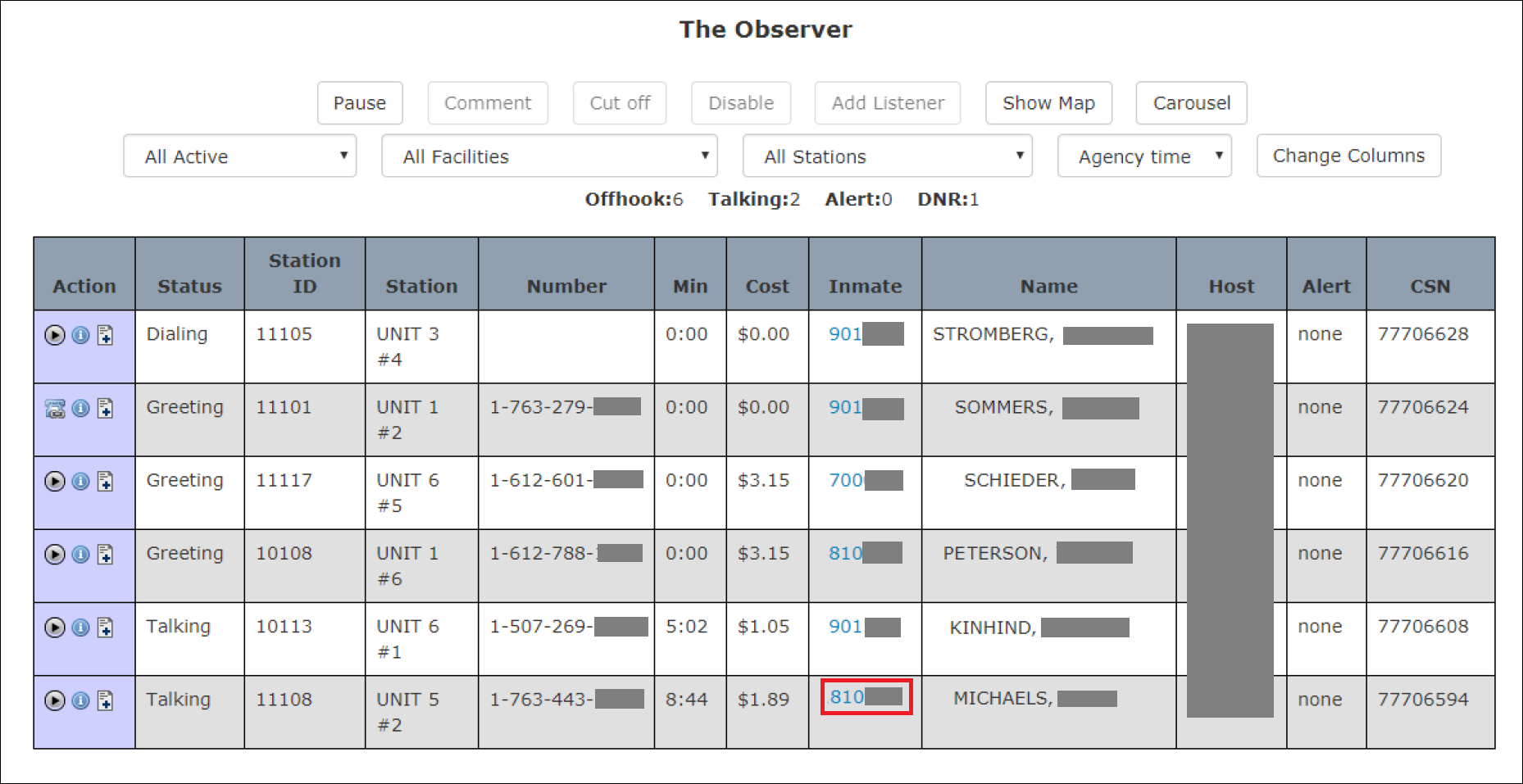
As shown in the following example, you can access the Inmate Detail page for the inmate placing the call. To do so, click the blue inmate number in the Inmate column.