Customizing a Number Using Editable Fields
Several options are available that you can define by entering or changing text in various text entry fields in the General Information pane, as highlighted in the following example.
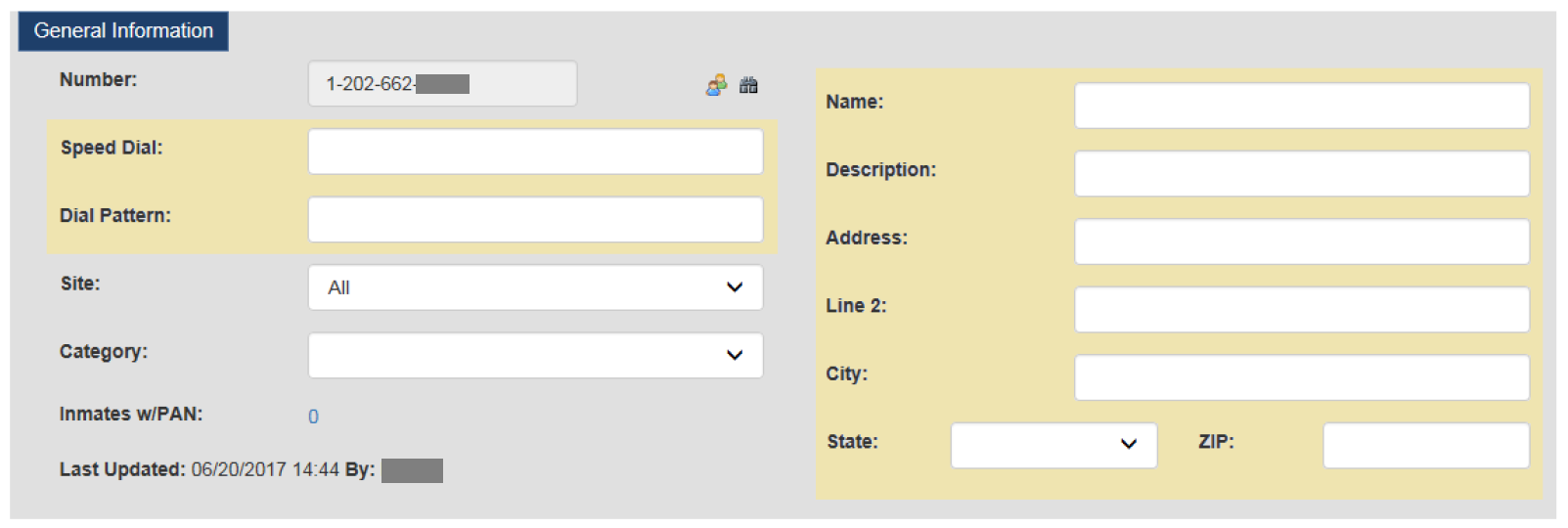
All of the fields highlighted above are optional fields. Depending on how the Number Detail Record was added to the Global Numbers library, some fields may be populated automatically. Options associated with editable fields are described in the following table.
Table: Number Detail Record – Editable Fields
| Field | Description |
|---|---|
| Speed Dial | Enter a 2-digit or 3-digit number in this field to be used as a dialing shortcut by inmates. When an inmate dials the Speed Dial number, The ENFORCER® dials the full 10-digit number. A Speed Dial number is ideal for use with a Snitch Line, an Investigator number, or Sex Crimes Reporting Line. |
| Name | First and last name of the called party. This field may have been populated by a data feed from a Jail Management System (JMS) or a previous Inmate Telephone System. If you access a Number Detail Record where the Name field is blank, and you know the called party’s name, enter it for future reference. |
| Description | In some cases, this field is populated automatically by The ENFORCER®. This field may describe how the call record was initially created or may describe the most recent user action, such as setting a block on the number. Although this field is editable, it is not necessary to change a system-assigned description. However, this field should be used to identify a special-usage number such as a Snitch Line or a Bail Bonds provider. |
| Dial Pattern | When you enter one or two numbers in this field, these digits will be added to the front of the number and dialed automatically. This is useful when a digit such as the number 9 must be dialed to reach an outside line. |